
How to Create AI Fashion Model Photos
Build a consistent set of model images for a collection without booking a second shoot. What "AI fashion model photos" really means, the two routes, and a repeatable workflow from one base photo.
AI Clothes Changer Editorial Team · Updated October 20, 2026
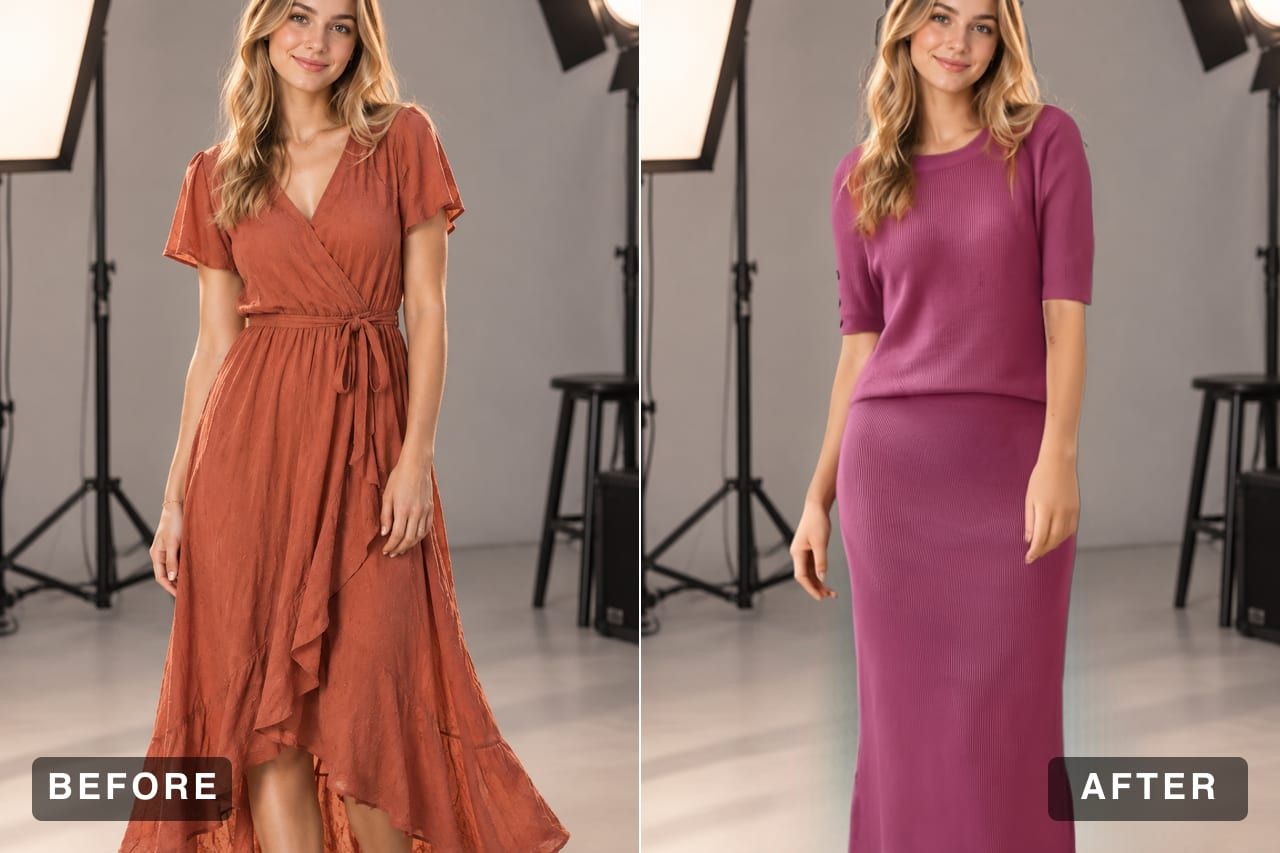
A fashion catalog needs the same face in every image. That is the whole reason brands pay for a model, a studio, and a second shoot day when a collection grows.
AI can shortcut the shoot, but not in the way most tool lists suggest. The useful workflow is not "generate a model and hope the face stays the same." It is "shoot one base photo properly, then change the clothes." This guide covers the difference, the workflow, and the parts that still need a human.
What "AI fashion model photos" usually means
The phrase gets used for two different products:
Synthetic model generation. A text-to-image model creates a person who does not exist. Useful for mood boards and concept work. Weak for catalogs, because every generation invents a new face, and a collection needs one recognizable model across dozens of images.
AI clothing restyling. You provide a real photo of a person and a garment reference, and the tool rebuilds the outfit while holding the person, pose, and scene in place. This is what AI Clothes Changer does, and it is the route that produces a coherent lookbook.
If your goal is a consistent model across a collection, the second route is the practical one. If your goal is a single conceptual image with a person who does not exist, a text-to-image tool is the right instrument — just do not expect continuity across a set.
Why consistency is the hard part
Three things make a catalog look professional, and AI breaks all three by default:
- Identity — the same face across every product page.
- Lighting — the same direction and quality of light in every image.
- Framing — the same crop, scale, and color treatment.
Synthetic generation resets all three on every run. Restyling a fixed base photo preserves all three for free, because the person and the scene never change — only the garment does.
That is also why one good base photo is worth more than ten mediocre ones. A sharp, front-facing shot under even light can carry an entire capsule.
What to prepare
A base model photo. Sharp, evenly lit, outfit visible from shoulders to hips, pose uncomplicated. If you are shooting for this specifically, take several poses in one session and keep the light identical. Those poses become your reusable templates.
Garment references. Full, clean product images or on-model shots. A flat lay on a plain surface works well. Cropped references are the most common cause of invented collars and hems.
Rights and consent. If the base photo shows a real person, you need the same commercial rights you would need for any campaign image, including consent for AI-assisted edits where your market requires it. Keep the release on file.
A review checklist. Color, length, neckline, print scale, logo placement, hands. Write it down so every image in the set gets the same scrutiny.
The workflow, step by step
1. Choose the route
Decide up front whether you need a synthetic person or a consistent real one. For a product catalog, a lookbook, or a brand campaign built around one model, use the restyling route.
2. Create or select one base model photo
Open the editor and add your person photo. Front-facing, sharp, evenly lit, with the current outfit fully visible. This single image becomes the anchor for the whole set — if it is soft or badly lit, every image downstream inherits the problem.
3. Prepare garment references
One clean reference per piece. If a product page image is a compressed thumbnail, track down the original. The reference determines how much the model has to guess, and guessing is where wrong details come from.
4. Generate in Studio or Pro
Studio costs 20 credits and returns up to four variations per garment, which is usually enough to pick a frame where the fabric folds and the lighting read naturally. Pro costs 20 credits, returns one image, and takes a styling prompt — useful when you want to describe the styling in words.
Preview at 10 credits is the fast check: run it once to see whether the pair of images works before spending Studio credits on variations.
5. Review against the physical sample
Open the image at full size and compare it with the actual garment, not with another generated image. Check color, length, neckline, seams, and print placement. If something drifted, regenerate with a cleaner reference or a simpler pose.
6. Export with one crop ratio
Pick square or 4:5 and apply it everywhere — product pages, collection tiles, email, ads. A consistent crop and color treatment is what makes a set read as a campaign.
A shot list for a small collection
| Image | Base photo | Garment reference | Mode | Purpose |
|---|---|---|---|---|
| Hero look | Front-facing, studio light | Full look or hero piece | Studio | Collection header, ads |
| Product page, per SKU | Same base photo | Clean flat lay per SKU | Studio | PDP gallery |
| Colorway set | Same base photo | One reference per color | Studio (4 variations) | Variant selection |
| Styling detail | Slight turn, closer crop | Garment plus styling prompt | Pro | Email, social |
One base photo per pose, reused across every row. That is the whole structure.
Rights, disclosure, and the parts that still need a human
AI makes image production cheap; it does not make the rules disappear.
- Consent. A real model in the base photo needs a release that covers commercial use and AI-assisted editing.
- Accuracy. The image must represent the product being sold. A generated collar that does not exist on the real garment is a returns problem.
- Disclosure. Follow the advertising rules in your markets and the policies of the platforms you publish on. Requirements differ and are still changing.
- No identity tricks. Do not use the tool to put a real person's face on a body or outfit they did not agree to. The service is clothing-only, for adults, and does not perform face swaps.
The human part is not going away. It just moves from holding a camera to reviewing output — which is faster, cheaper, and still requires judgment.
What AI still gets wrong
Knowing the failure cases saves credits:
- Hands — especially near the hem or waist.
- Fine jewelry and small logos — often blurred or altered.
- Very fine print and texture — can smear at small scale.
- Extreme poses — crossed arms, heavy occlusion, dramatic angles.
- Unusual fabrics — latex, heavy sequins, and sheer layers are harder than cotton and wool.
Simple, front-facing shots with clean references avoid most of these. When a result fails, the fix is usually a better source image, not a different prompt.
Frequently asked questions
Can AI create a fashion model from nothing?
Text-to-image tools can generate a synthetic person, but the result is a new face each time and rarely stays consistent across a collection. For catalogs, restyling one real base photo produces a far more coherent set.
Does AI Clothes Changer generate a model?
No. It restyles the clothing on a person photo you provide. The face, pose, body proportions, and background stay in place while the outfit changes.
Do I need a model release to use these images?
If the base photo shows a real person, you need the rights you would need for any commercial photograph, including consent for how the image will be used. Check the rules in your market and keep the release on file.
How many images can I get from one shoot?
There is no fixed limit. One base photo can be reused for every garment in a capsule. The real constraint is your credit balance, not the photo.
Should I disclose that the images are AI-generated?
Follow the advertising and platform rules for the markets you sell in, and be transparent when an image could mislead about the product or the person. Requirements vary and are still evolving.
What still looks fake in AI fashion images?
Hands, complex jewelry, very fine print, unusual fabric behavior, and extreme poses. Simple, front-facing shots with clean garment references avoid most of these failure cases.
Related guides
- AI clothes changer — the main editor for swapping the outfit in a photo.
- Build your first model set → — one base photo, unlimited garments.
- AI virtual try-on for Shopify stores
- How to virtually try on clothes online
- AI Dress Changer: change any dress online
- Plans and credits